
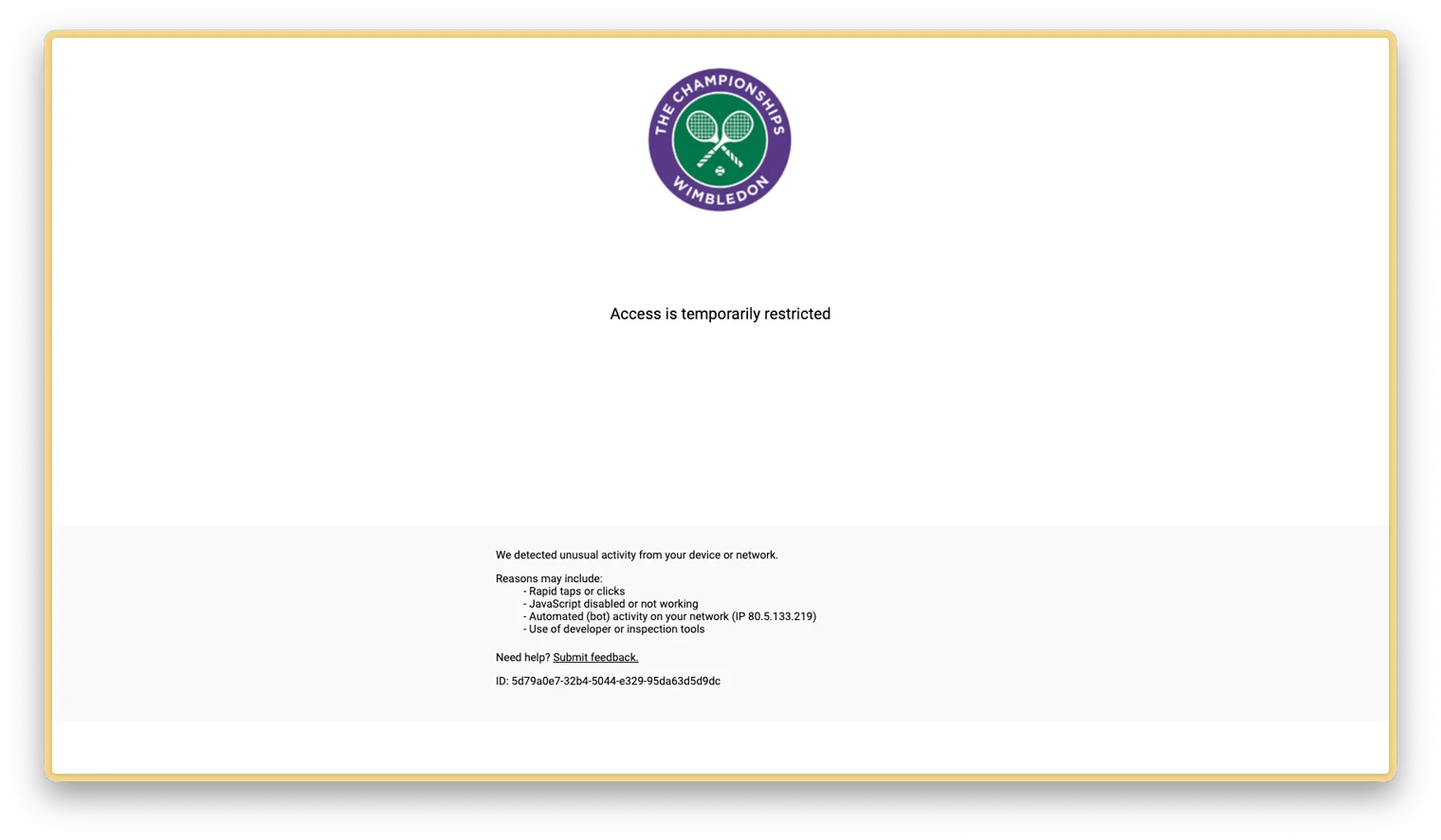
You landed on ticketsale.wimbledon.com — and instead of tickets, you got this:
“Access is temporarily restricted”
No explanation. No button to click. Just a blank page with the Wimbledon logo and that message.
The good news: it goes away on its own within an hour or two, and there are faster ways to clear it. Here’s exactly what’s happening and what to do.
What Causes the “Access is Temporarily Restricted” Error
The Wimbledon ticket resale site has security protections that monitor browser behaviour and temporarily block access when certain signals are detected, including:
- Very frequent page refreshes — hammering F5 or repeatedly reloading the resale page can trigger it
- Multiple tabs or windows open on the same site at the same time
- VPN or proxy traffic — if your IP is flagged as a datacenter or shared IP, access gets blocked
- Browser extensions that inject scripts or modify requests (ad blockers, privacy tools, etc.)
The restriction is temporary — if you do nothing, it clears itself within one to two hours. But if you’re trying to buy a ticket right now, there’s a faster fix.
Seeing this on a different ticketing site? The exact “access is temporarily restricted” message is used by the same class of bot-protection on several high-demand ticketing platforms. The cause and the fix below are identical wherever you hit it — clear that site’s stored data, drop any VPN, and retry in a clean session.
How to Fix It: Clear Site Data
The quickest way to reset the block is to clear the site’s stored data — cookies and tokens that the site’s security layer uses to identify your session.
On Chrome or Edge (Desktop)
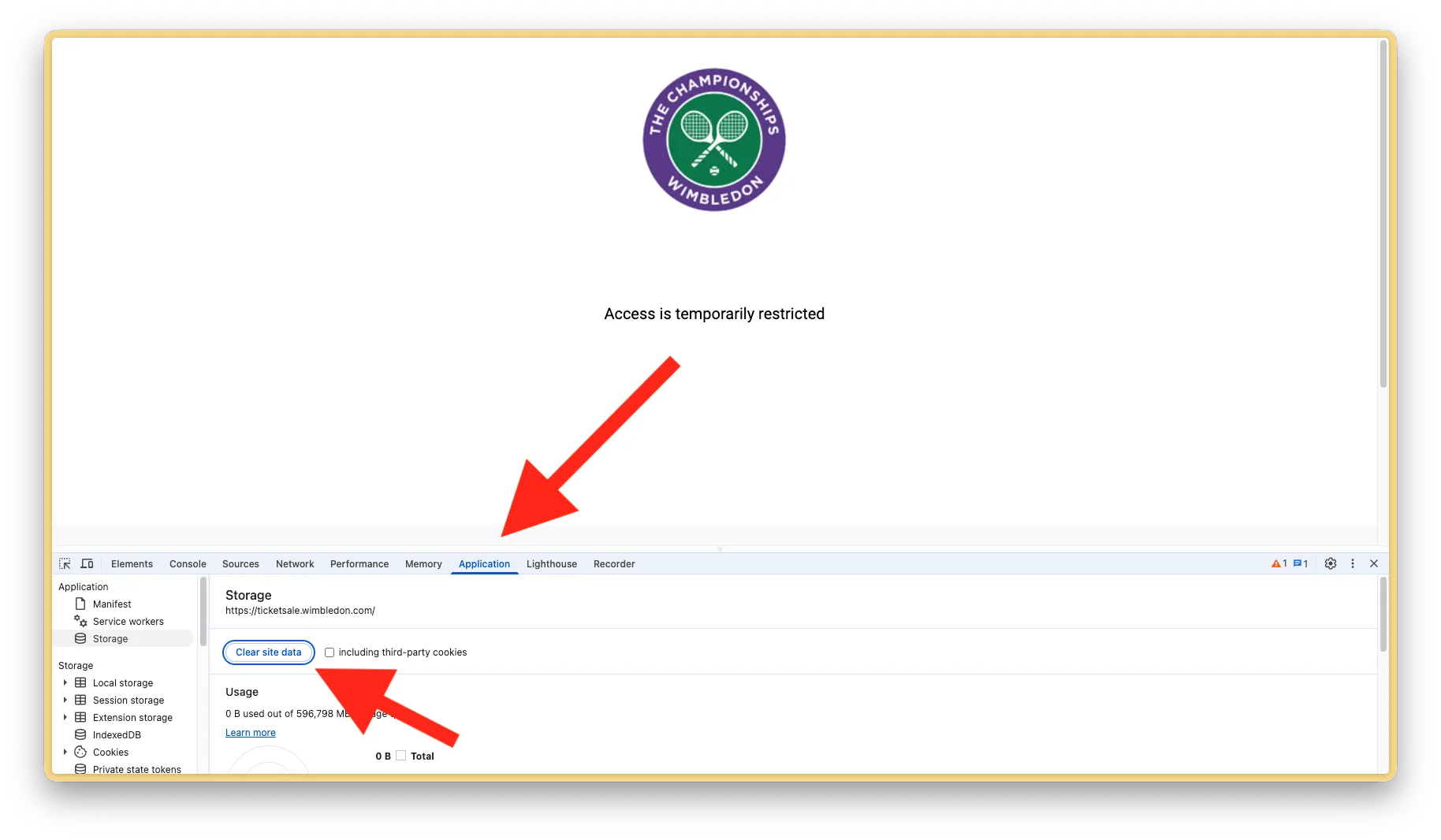
- Open DevTools: press
F12(Windows/Linux) orCmd+Option+I(Mac) - Click the Application tab
- In the left sidebar, click Storage
- Click the “Clear site data” button
- Close DevTools, then reload the page
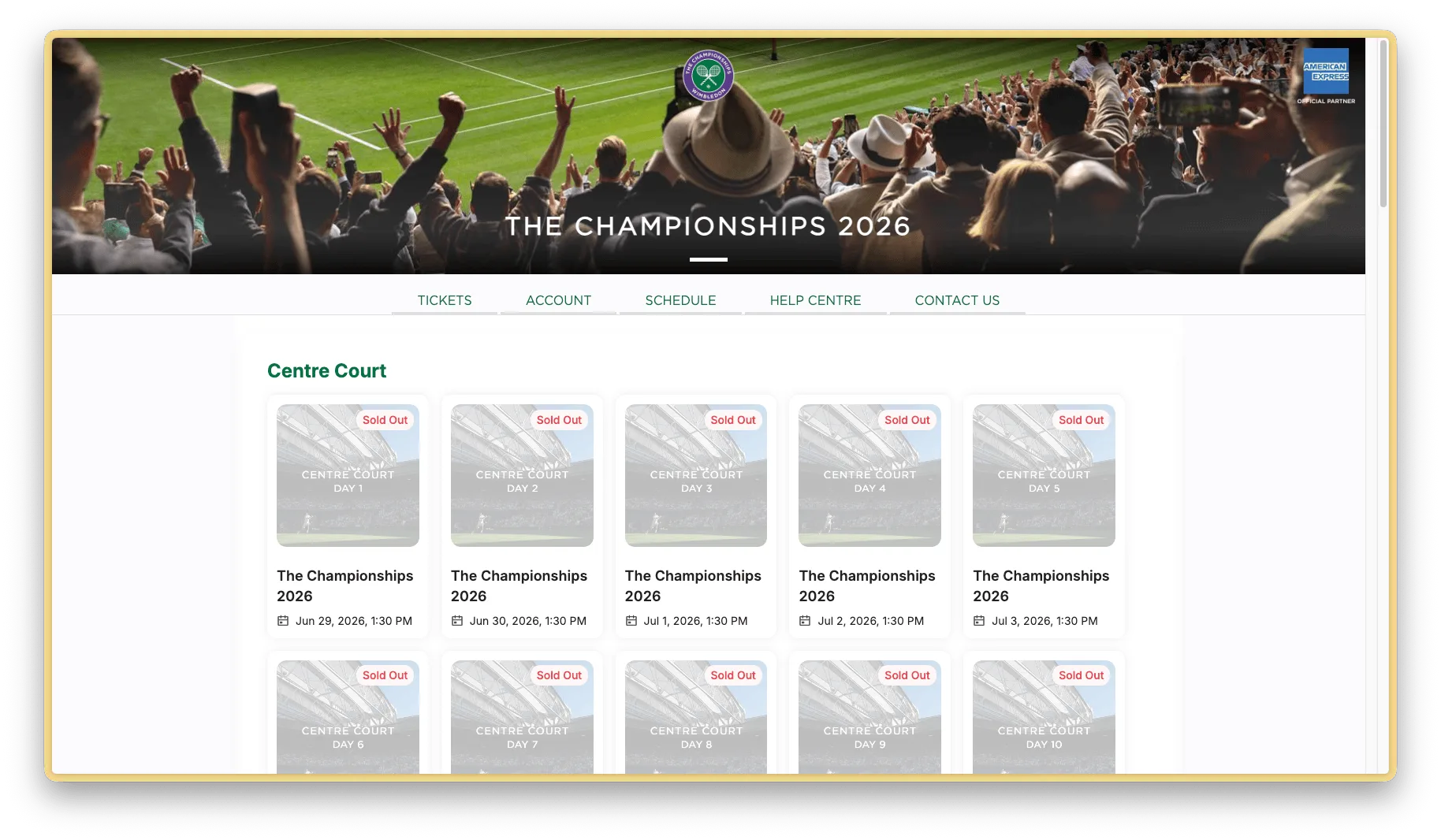
After clearing, the page should load normally — like the screenshot above, showing the full resale grid. If tickets are still available, you’ll see them here.
On Safari (Desktop)
- Go to Safari → Settings → Privacy
- Click “Manage Website Data…”
- Search for
wimbledon.comand remove it - Reload the page
On Mobile (iOS Safari / Chrome)
- iOS Safari: Settings → Safari → scroll down → “Clear History and Website Data”
- Android Chrome: Chrome menu (⋮) → Settings → Privacy and Security → Clear browsing data → tick “Cookies and site data” → Clear data
Tip: You don’t need to clear your entire browser history. On desktop, the “Clear site data” button in DevTools only clears data for
ticketsale.wimbledon.com— not your whole browser.
Other Things to Try
If clearing site data doesn’t work immediately:
- Disable your VPN. If you’re connected to a VPN, disconnect it and try again on your normal home or mobile connection.
- Try incognito / private mode. This starts a clean session with no cached data or extensions running — often bypasses the block.
- Switch browsers. If it’s stuck in Chrome, try Safari or Firefox.
- Just wait. If nothing else works, the restriction clears on its own within one to two hours. Annoying, but it will resolve without any action on your part.
Why This Matters for Wimbledon Tickets
Wimbledon resale tickets sell in seconds — sometimes under 10. Every minute you spend on an error screen is a minute someone else is buying that ticket.
The fastest way to make sure you’re never caught off guard:
- Set up Wimbledon ticket alerts so you know the instant a ticket drops
- Keep a clean browser session ready — no DevTools, no VPN, no heavy extensions on
ticketsale.wimbledon.com - When the alert fires, go directly to the link in the notification — it takes you straight to the right date
If the page loads but shows an error or everything as sold out, that’s a separate issue — see Wimbledon resale error or sold out? How to fix it. New to the resale entirely? Start with how Wimbledon resale tickets work in 2026.
Frequently asked questions
Why does “Access is temporarily restricted” appear on Wimbledon tickets?
The Wimbledon resale site runs bot-protection that blocks a session when it sees suspicious signals — very frequent refreshes, multiple tabs on the same site, VPN or datacenter IPs, or browser extensions that modify requests. It’s a temporary block, not a ban.
How long does the block last?
If you do nothing it clears on its own within one to two hours. You can clear it much faster by clearing the site’s stored data for ticketsale.wimbledon.com, or by opening the page in a private/incognito window.
Does this error only happen on Wimbledon?
No. The same “access is temporarily restricted” message is used by the bot-protection layer on several high-demand ticketing sites. The fix is the same everywhere: clear that site’s stored data, drop any VPN, and retry in a clean session.
Will clearing site data log me out of everything?
No. The DevTools “Clear site data” button only clears data for that specific site — not your whole browser or your other logins.
Never Miss a Wimbledon Ticket Drop
If you’re not already getting instant alerts when Wimbledon resale tickets appear, you’re relying on luck.
Ticket-Alerts.live monitors the Wimbledon resale continuously and sends you a push notification the moment a ticket becomes available — with a direct link to buy it, no searching required.
Set up your Wimbledon alert once, and we’ll do the watching for you. 🎾